System Configuration
SynComm Admin tables can be accessed from the SynComm Main Page (referred to as the Landing Page) by using either the Admin tab or the Administration button. Only users having a valid PACS account and granted "Administrator"-type privilege are able to access these Admin tables.

In addition, privileged users may access the Admin tables using the following options:
- A desktop shortcut, if created, to access independently from PACS
Note: To save the SynComm Landing Page as a desktop icon to access independently from PACS, either drag the URL from the SynComm Landing Page to the desktop or right click on the desktop and create a shortcut link to
http://<SynComm_webaddress>/ToolbarLanding.asp - A PACS viewer toolbar icon, if PACS Administrators configured a quick access point to the SynComm Landing Page
The SynComm Landing Page uses Windows authentication to auto-authenticate. As long as the user logged into Windows has a matching SWAT account, the user will not be prompted for credentials when launching the SynComm Landing Page independent of PACS.
 Access the SynComm Landing Page using the PACS viewer toolbar
- Authenticate PACS and open a datasource.
- Open a patient study.
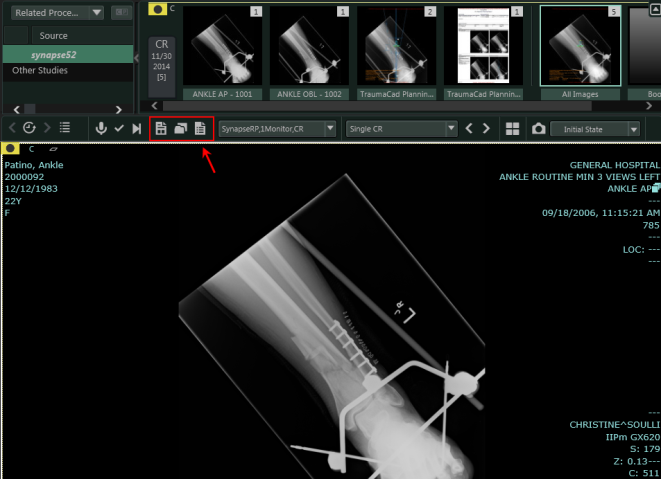
- From the PACS viewer toolbar, select the SynComm Landing Page icon.
 From PACS v5.x and 7.x
If configured, a shortcut icon will appear in the highlighted location.